Redesigning an AI‑backed game testing platform
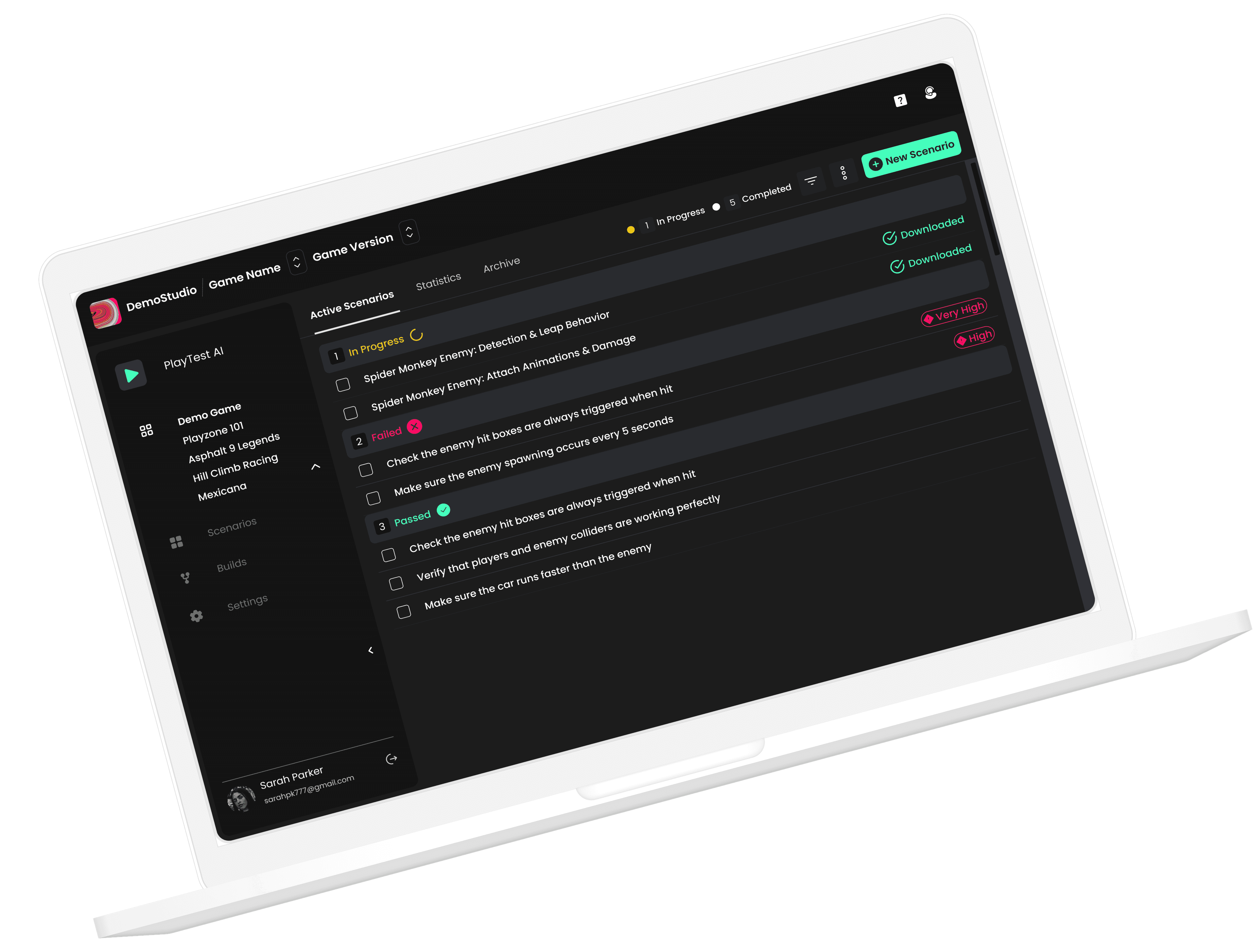
PlayTest AI is an AI-driven game testing platform built to optimize the QA testing workflow for PC, VR, and mobile game development. By replacing manual test scenario creation with autonomous bots, it analyzes gameplay in real time, detects bugs, and surfaces actionable insights.
Key outcomes
Disclaimer: All data presented has been generated for illustrative purposes only and does not represent actual company data.
Company
PlayTest AI
Role
Founding Product Designer
Timeline
8 weeks · 2024
Tools
Figma, FigJam, Jira
Responsibilities
Team
Constraints
With limited access to user feedback, design decisions were driven by close collaboration with engineers and informed assumptions based on known pain points in manual QA — in a limited time period of 8 weeks.
Impact tldr;
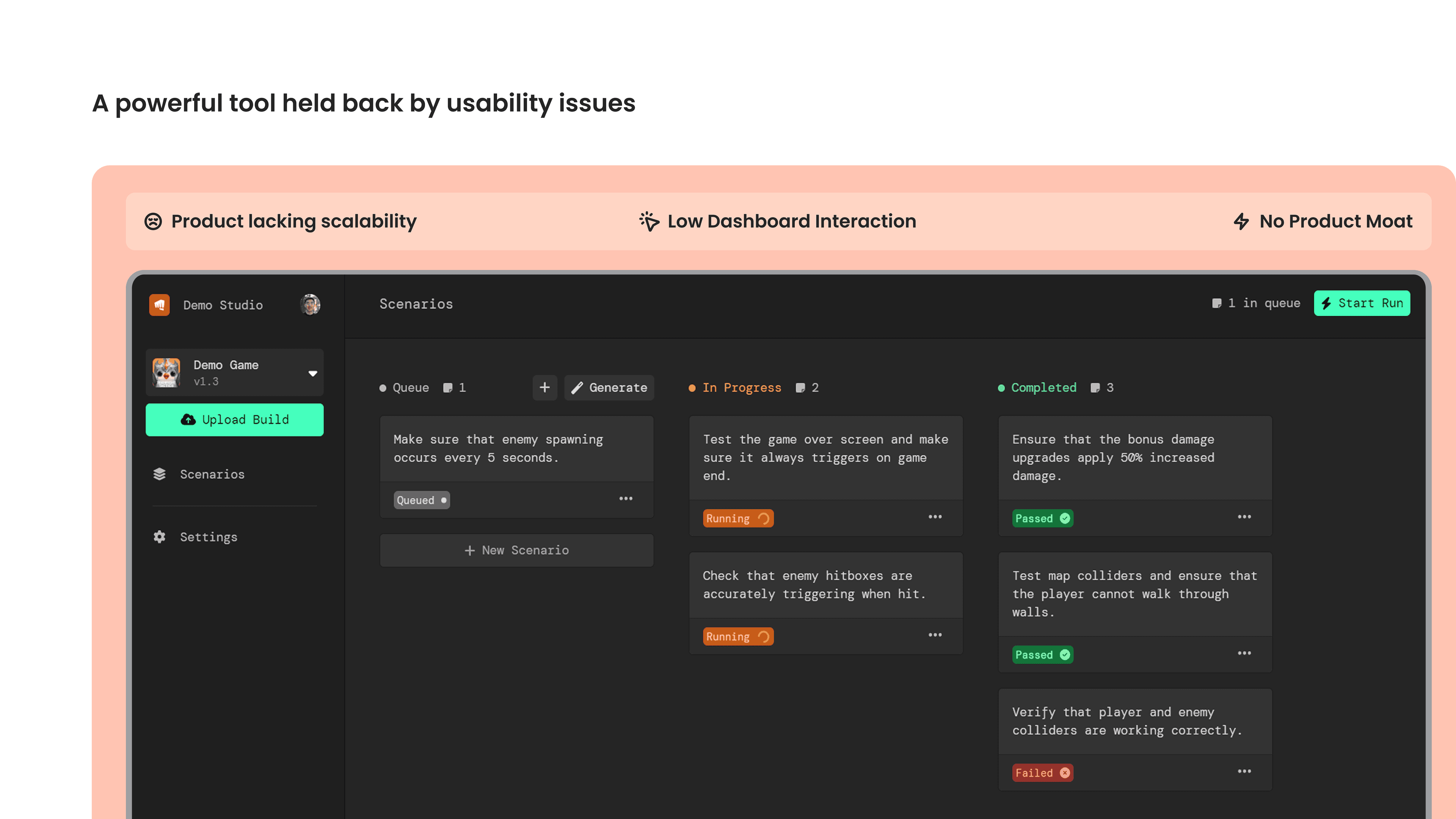
A powerful tool held back by usability issues
The original platform was built by the CTO, not a designer—and it showed. Users hit a wall of complexity immediately after sign-up.
User drop-off rate
Users abandoned the dashboard within minutes of signing up.
Design involvement
The original dashboard was built by the CTO — no designer had ever touched it.
Dashboard interaction
Users barely engaged with the core scenarios view. Most actions required support.
Product moat
No differentiation from competitors — product lacked scalability and a clear USP.
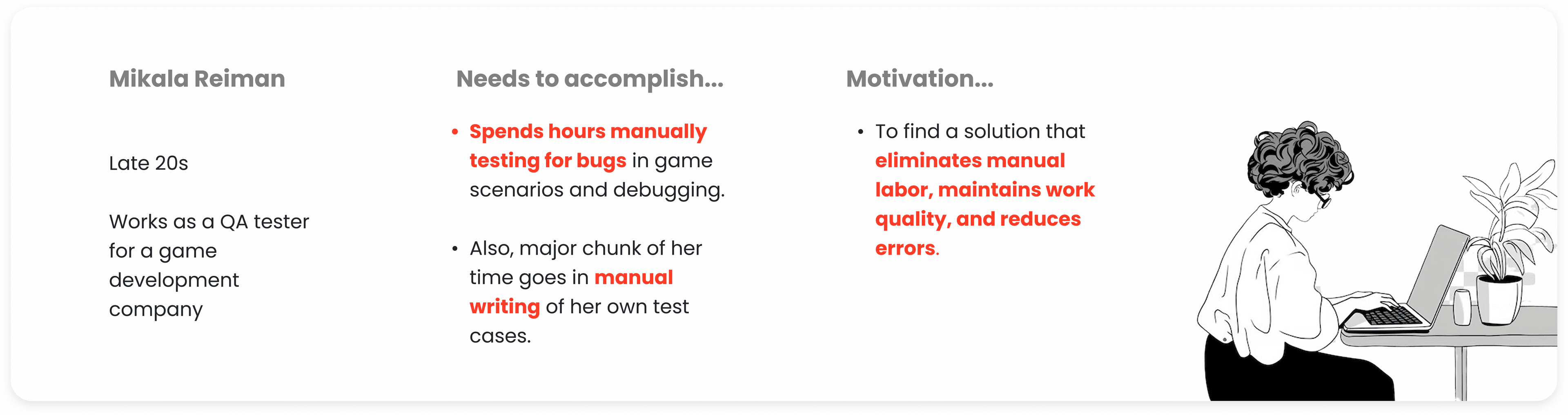
Who are we designing for?
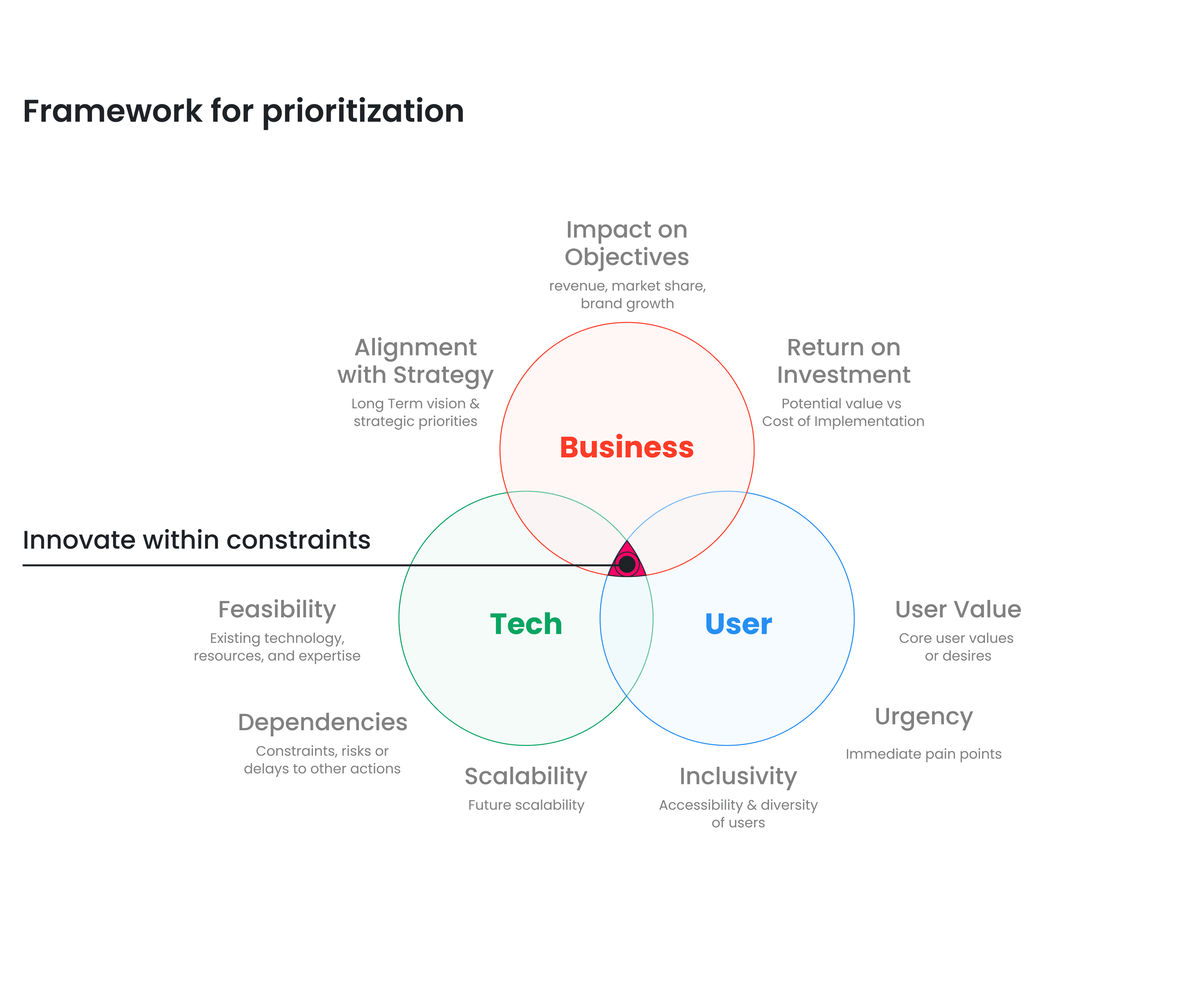
Framework for prioritization
Innovating within constraints—balancing business viability, user desirability, and technical feasibility.
Business Goal
Reduce operational costs related to client support. The product had to pay for itself by reducing the support burden.
User Needs
Enable game testers to quickly upload, create and test game scenarios from the dashboard — without hand-holding.
Tech Constraints
Maintain competitive edge while working within time and budget limitations of an 8-week sprint.
Competitive analysis — PlaytestCloud and similar platforms
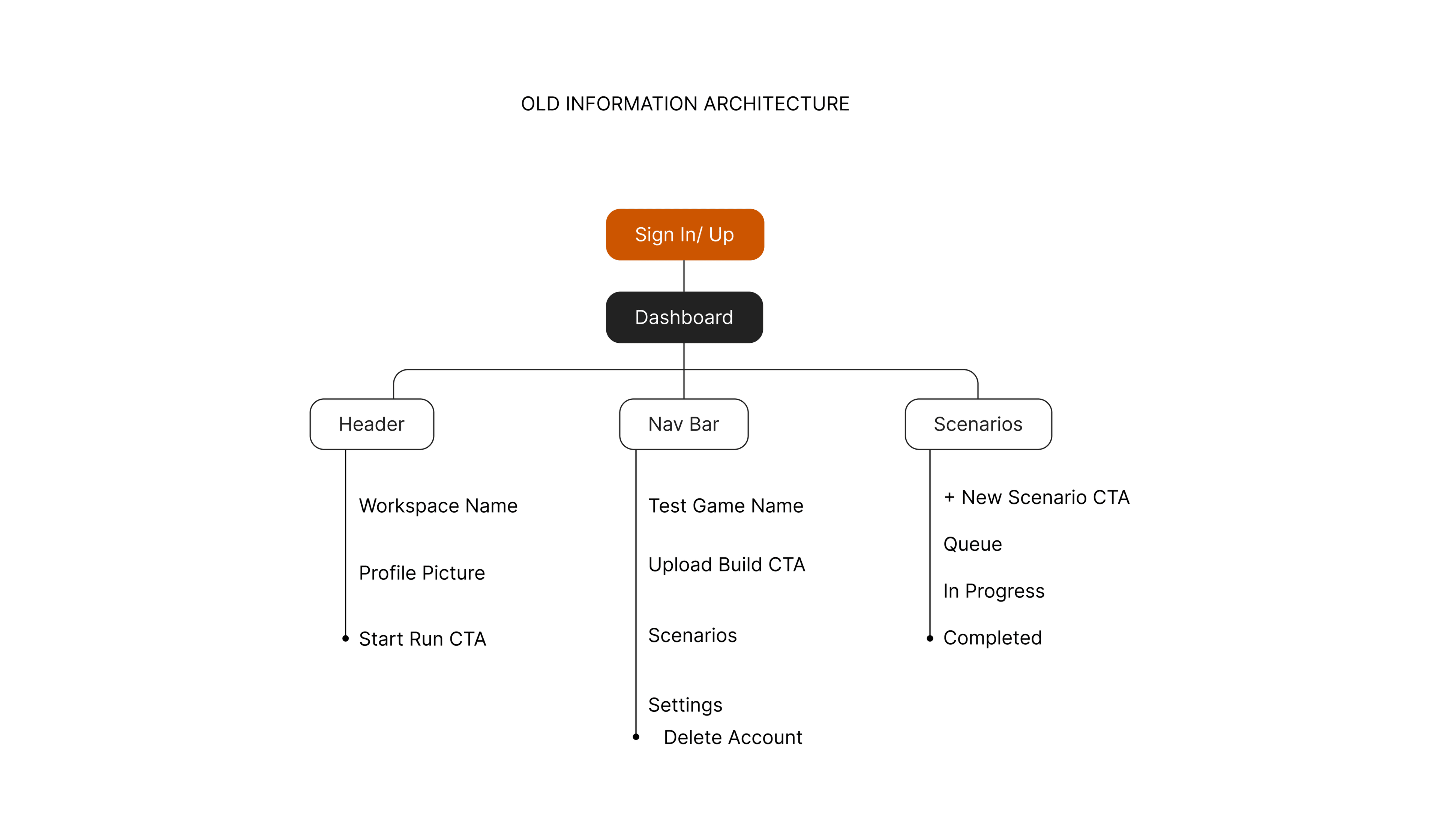
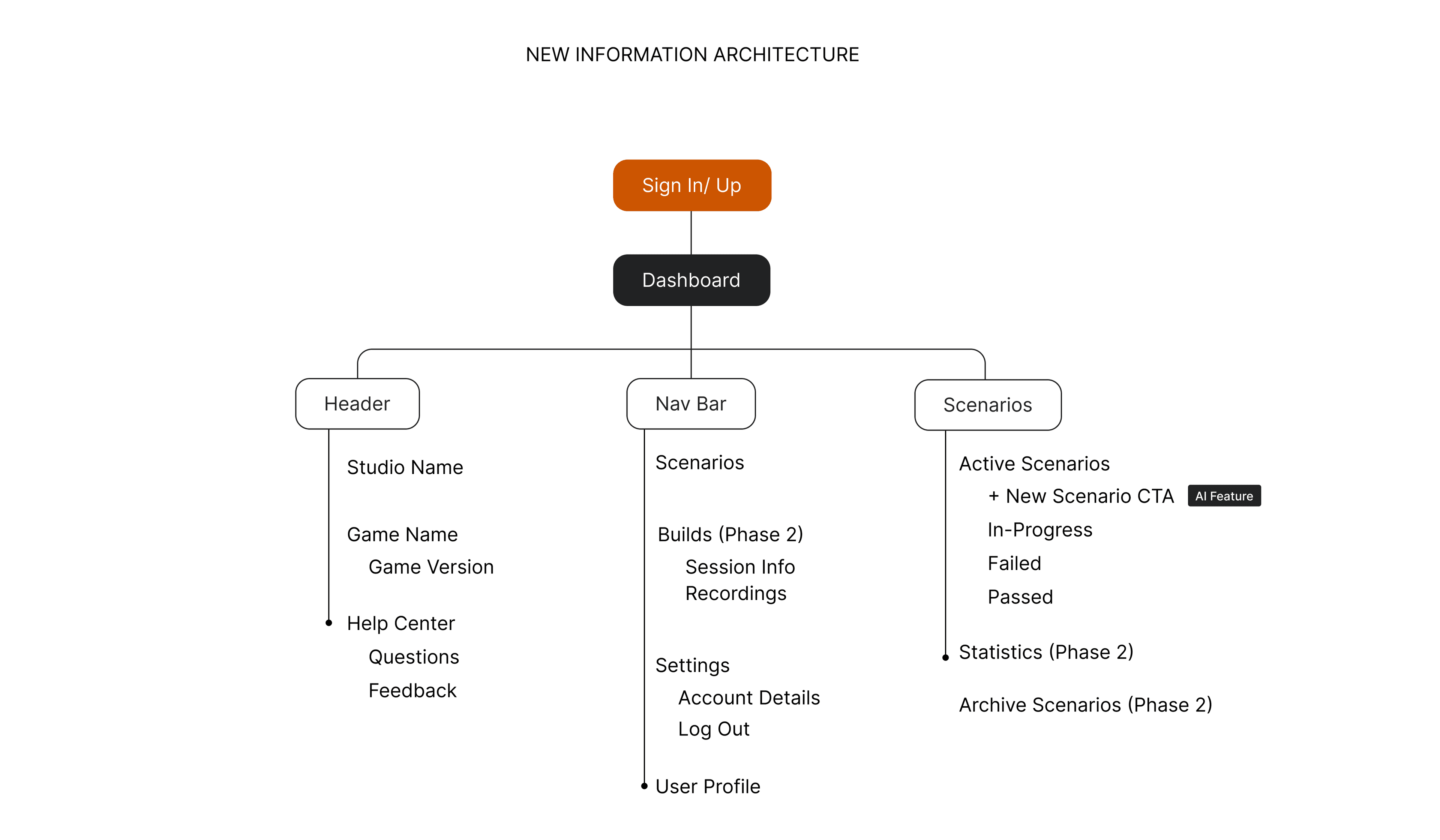
Restructuring the information architecture
The old IA was flat and feature-centric. The new IA introduces workflow-centric navigation, AI-powered scenario generation, and phased feature rollout.
Ideation
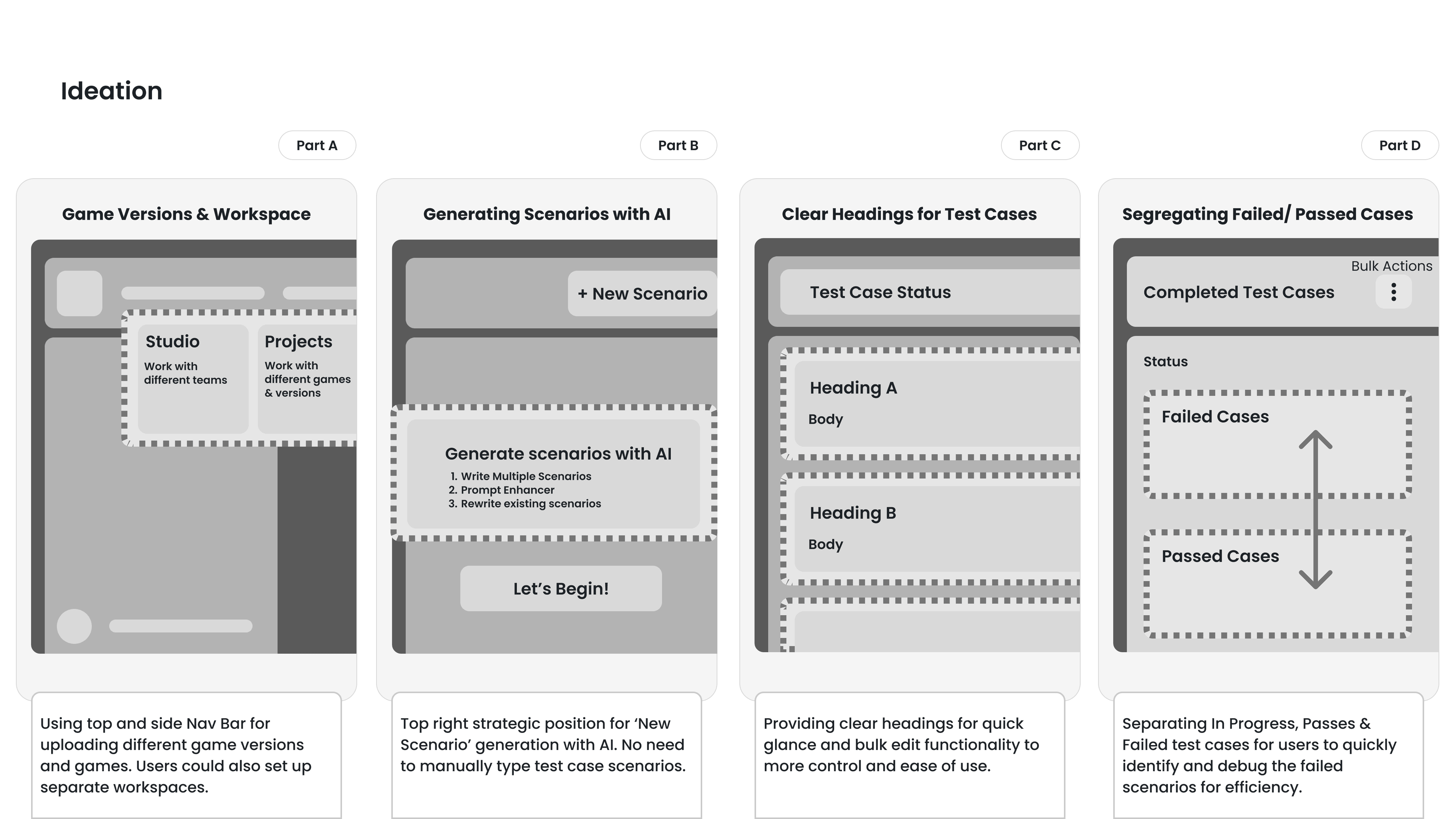
Game Versions & Workspace
Using top and side Nav Bar for uploading different game versions and games. Users could also set up separate workspaces.
Generating Scenarios with AI
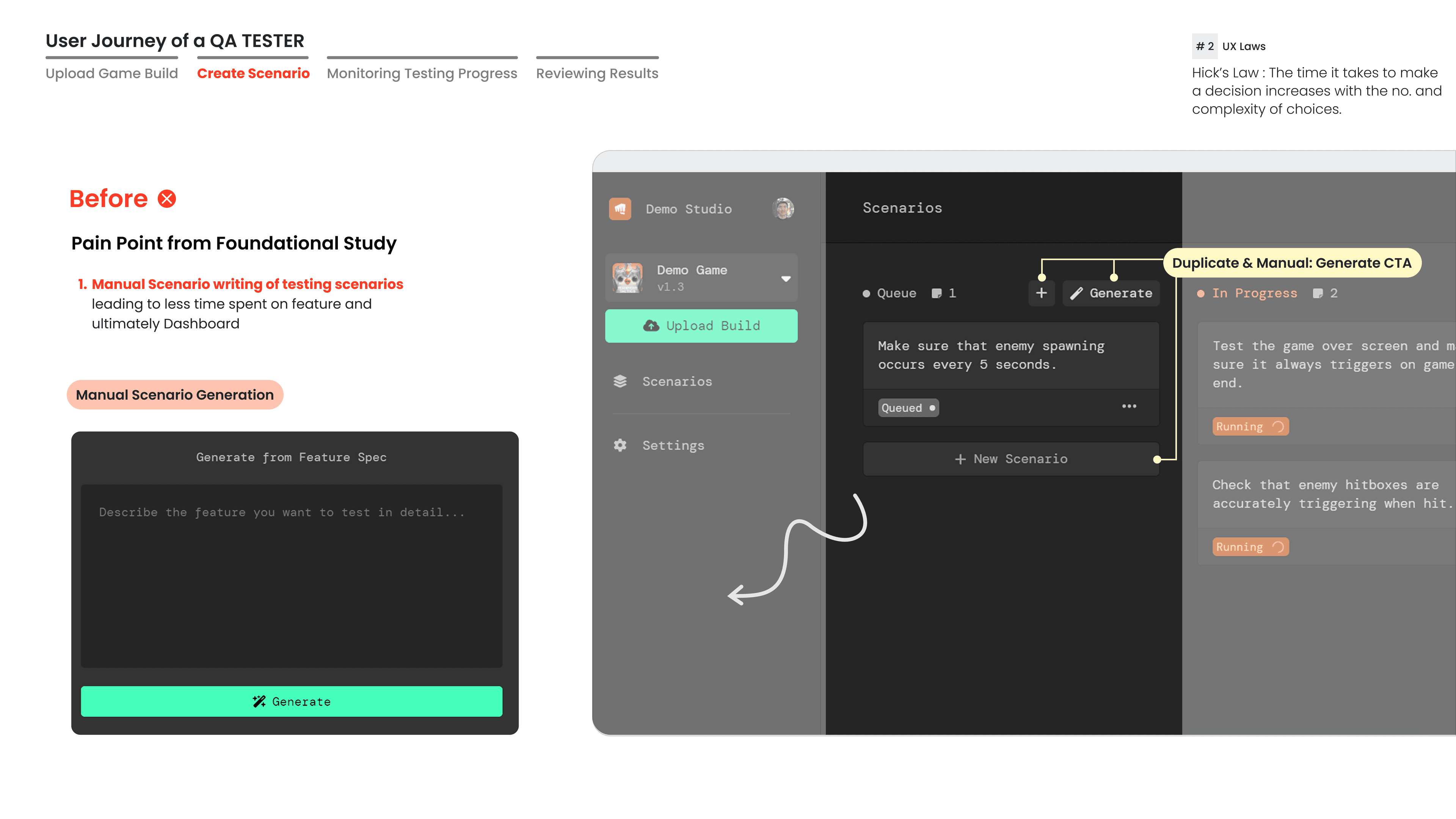
Top right strategic position for 'New Scenario' generation with AI. No need to manually type test case scenarios.
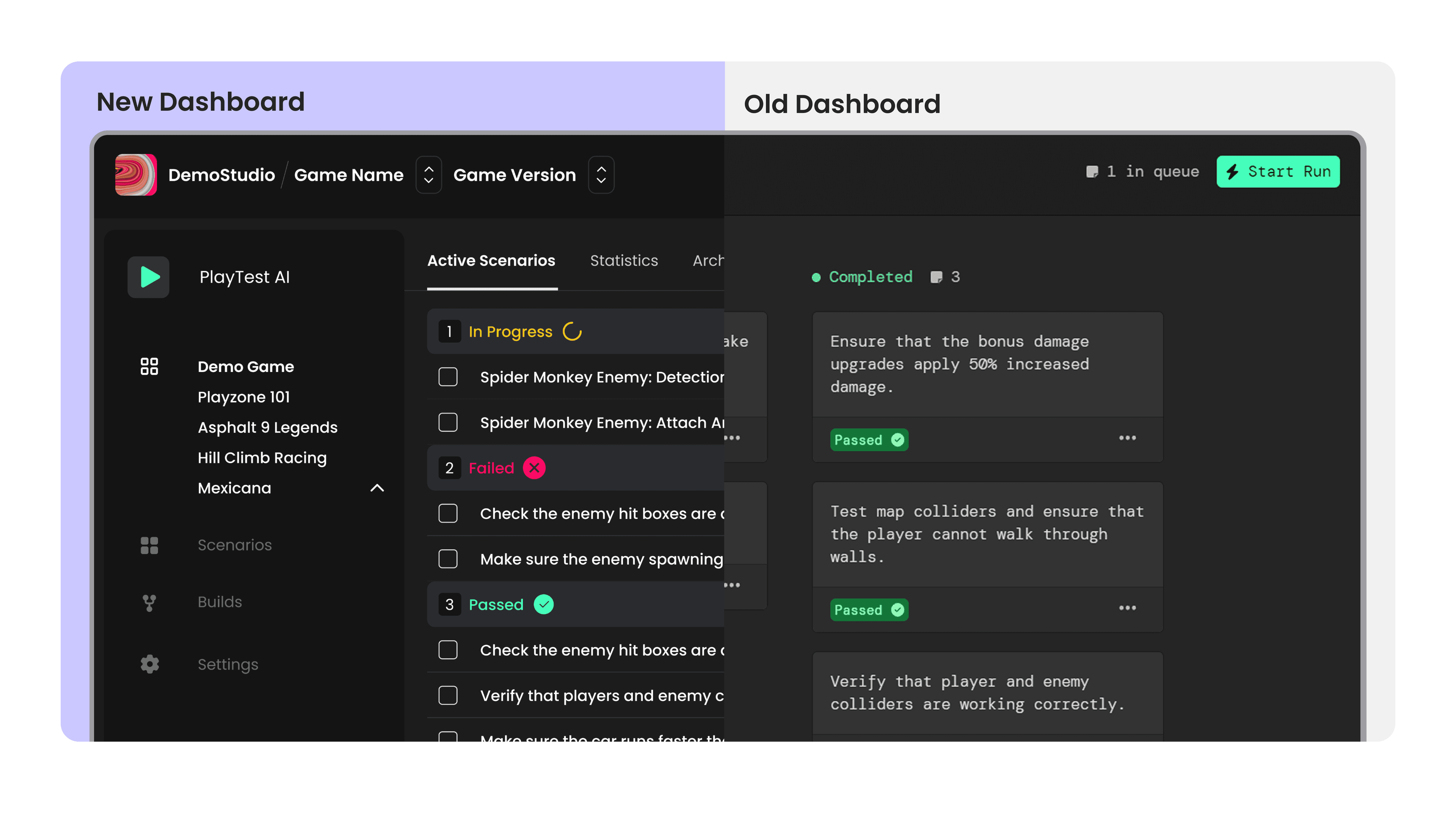
Clear Headings for Test Cases
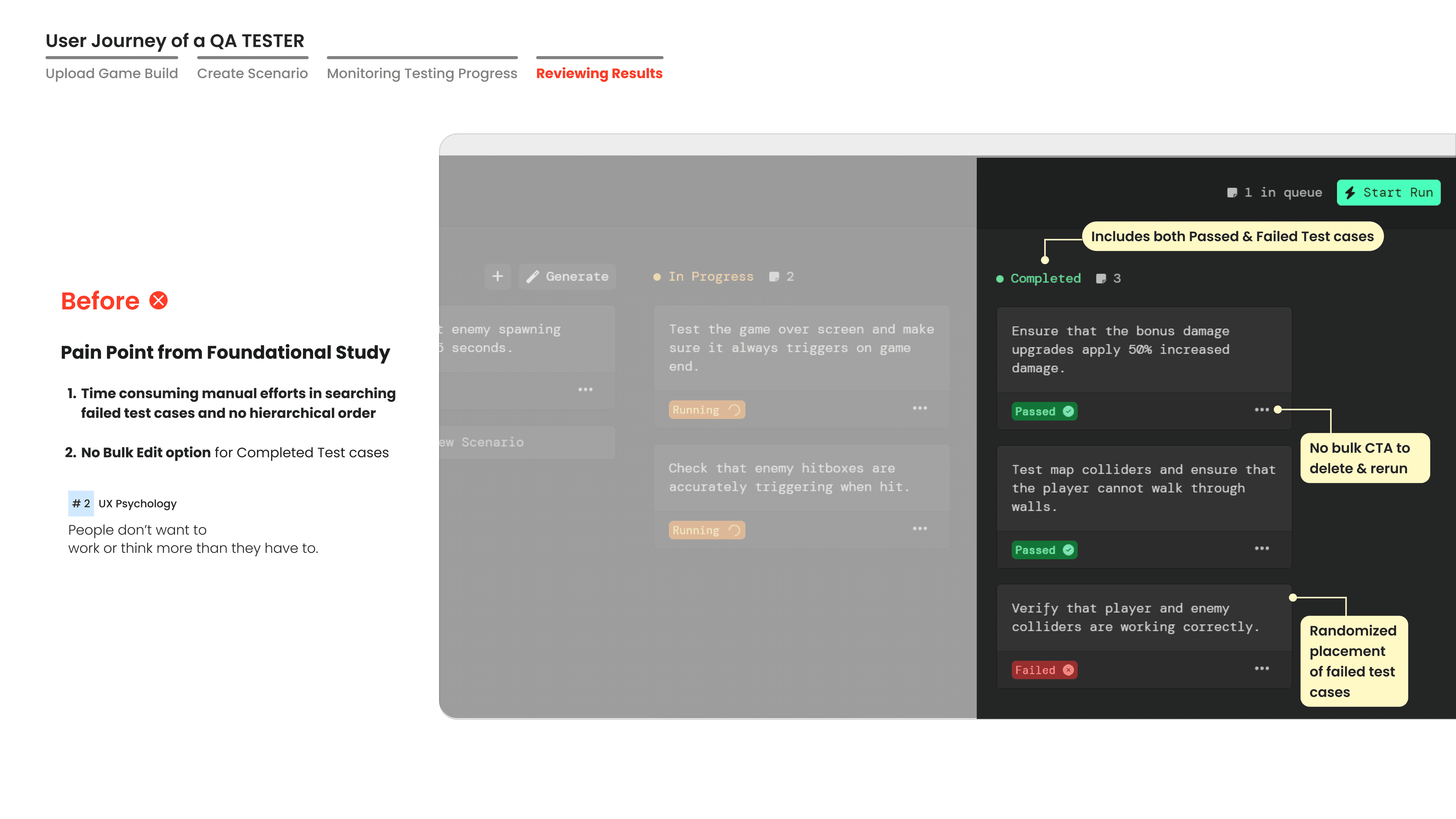
Providing clear headings for quick glance and bulk edit functionality for more control and ease of use.
Segregating Failed / Passed Cases
Separating In Progress, Passed & Failed test cases for users to quickly identify and debug failed scenarios for efficiency.
User journey of a QA tester
User Journey — 4 stages
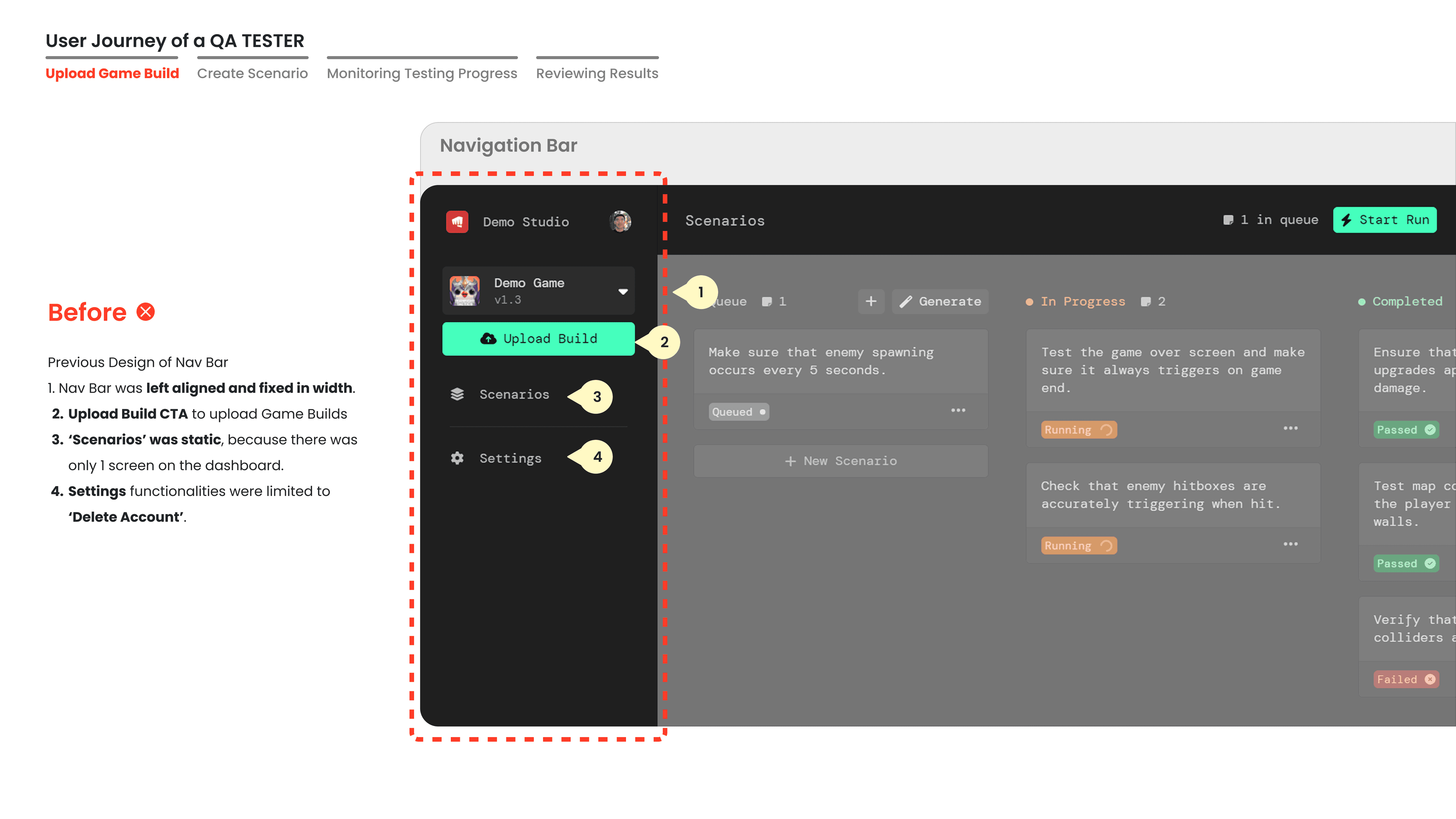
Upload Game Build
Create Scenario
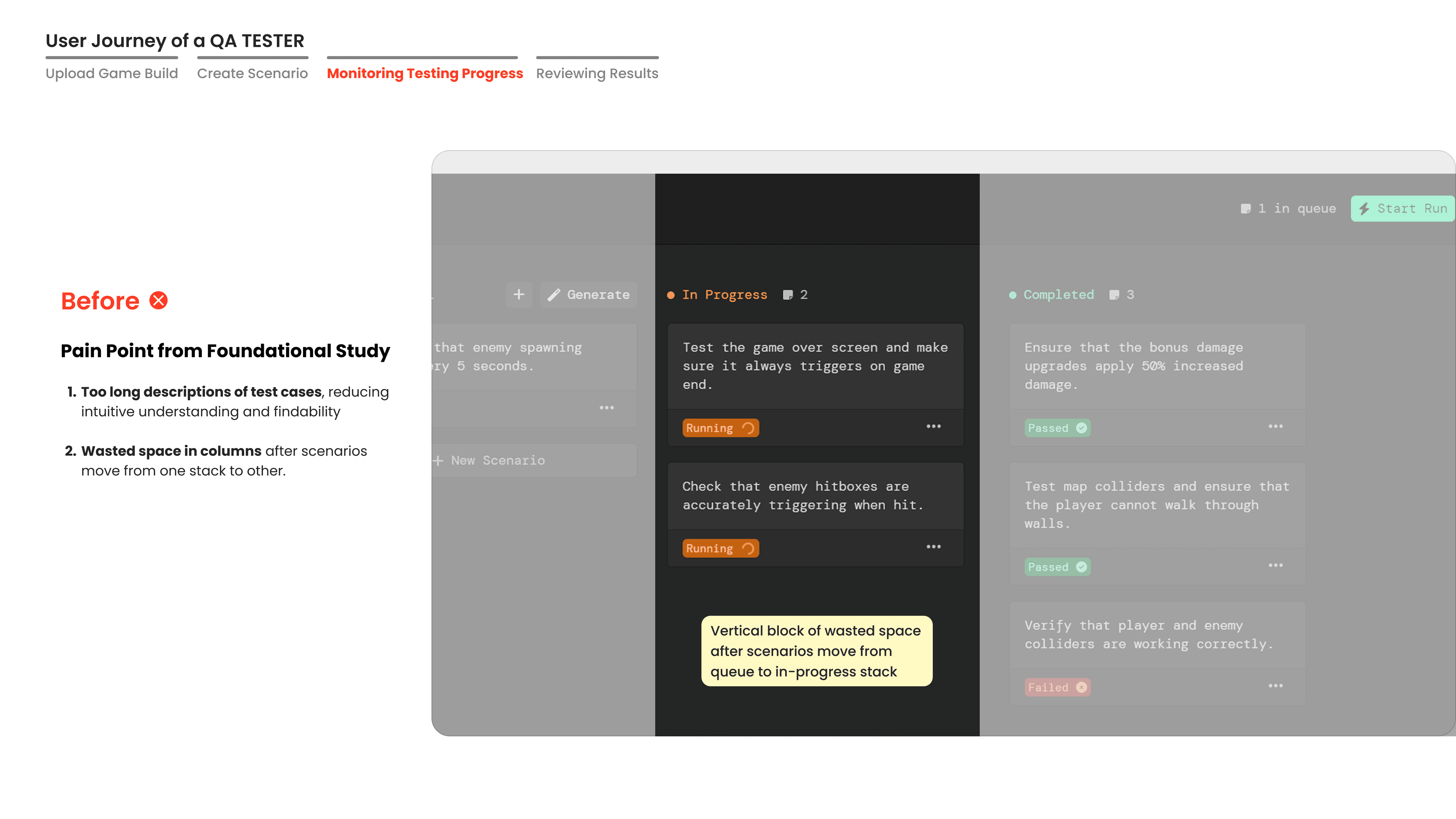
Monitoring Progress
Reviewing Results
The redesigned product
A clean, structured dashboard with clear status categories, AI-powered scenario generation, and a design system that scales.
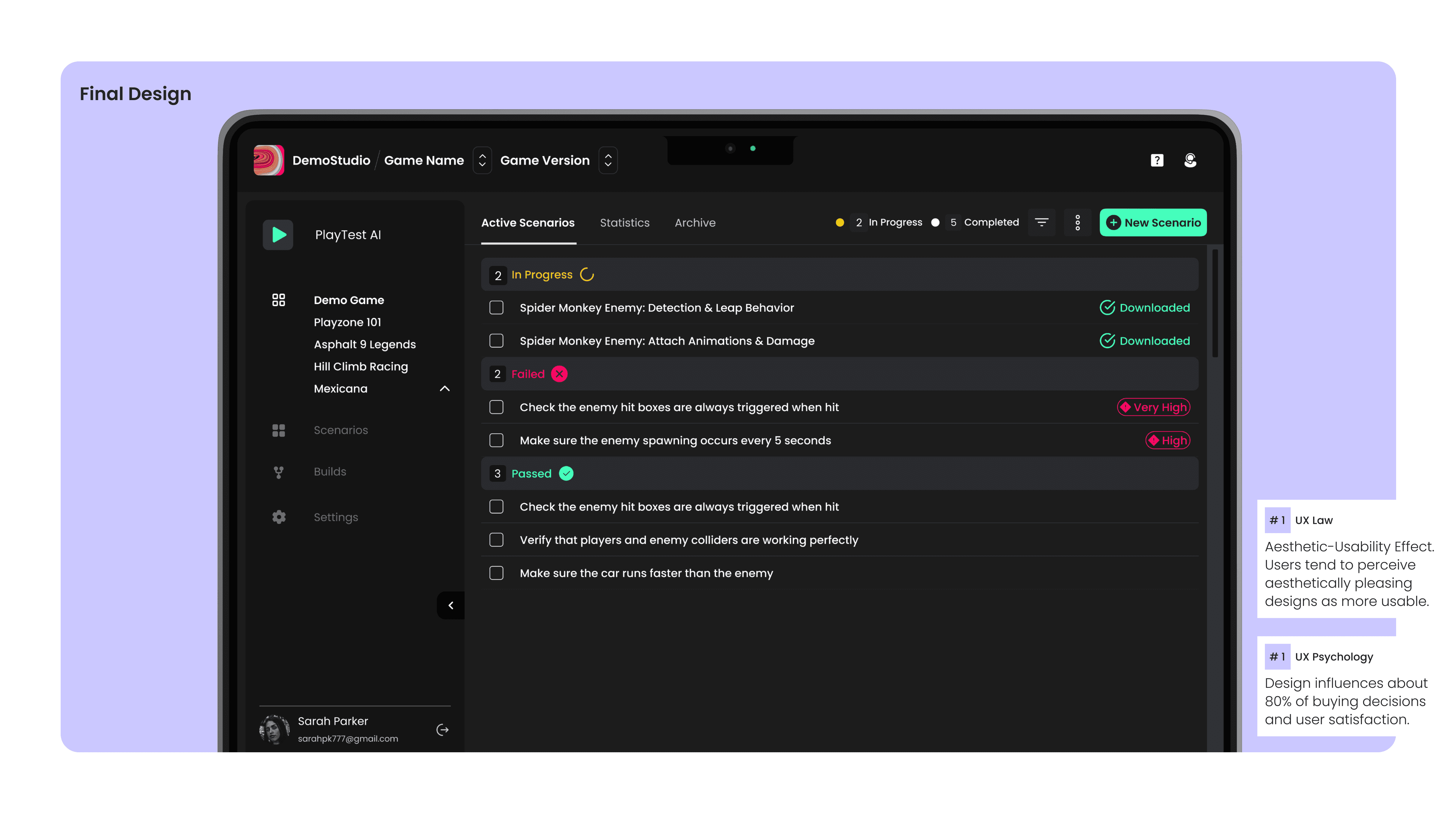
Aesthetic-Usability Effect
Users tend to perceive aesthetically pleasing designs as more usable. The visual polish of the redesign directly improved perceived reliability and trust.
Design drives decisions
Design influences about 80% of buying decisions and user satisfaction. The redesigned experience directly contributed to the 20% → 80% trial-to-paid conversion lift.
Numbers that tell the story
The redesign didn't just look better—it fundamentally changed how users engaged with the product.
User Engagement
Increased 30min+ user session duration from 15% to 70% by resolving usability issues, significantly reducing support tickets.
Trial-to-Paid Conversion
Increased trial to paid user conversion rate from 20% to 80% in 8 weeks. Growing clients from 3 pre-MVP to 11 post-redesign.
Feature Adoption
Redesigning from manual to AI-driven scenario generation increased user interactions from 30–56 clicks, enabling 41% more scenarios generated & tested.
Clients Post-Redesign
Users struggled with bug detection and test case resolution pre-redesign. Grew from 3 pre-MVP clients to 11 post-redesign.